
Weekly digest
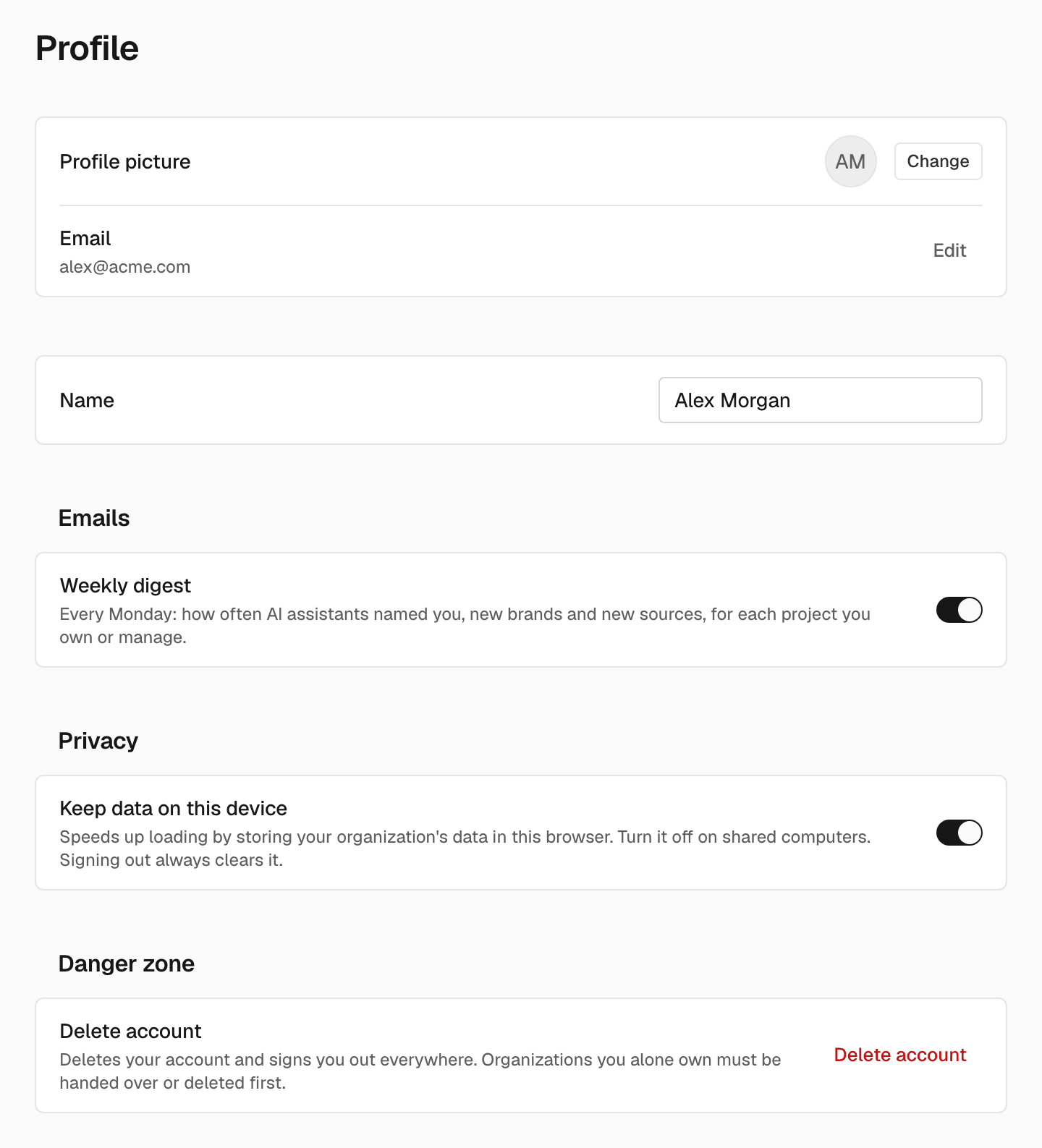
Under Emails, the Weekly digest switch turns the Monday email on or off. It tells you how often AI assistants named you, and the new brands and new sources, for each project. The digest goes to owners and admins of an organization. You can also stop it from the link in the email.Keep data on this device
Under Privacy, Keep data on this device stores your organization’s data in this browser so pages load faster. Turn it off on a shared computer. Signing out always clears it.Change your picture
Next to Profile picture, click Change and choose an image. The new picture shows in every organization.Change your name
1
Edit it
Enter a new Name.
2
Save
Click Save, which appears once you change the name.
Change your email
1
Open the email form
Next to Email, click Edit.
2
Enter the new address
Enter it in New email.
3
Send it
Click Change email.
4
Confirm it
Open the confirmation link SEOmator sends to your current address.
Delete your account
If you are the only owner of an organization, make someone else an owner or delete the organization first. See Members and Organization settings.1
Start
In Danger zone, click Delete account.
2
Enter your password
If you have a password, enter it in Password (if you have one).
3
Confirm
Click Delete account.
Related
Security
Change your password and turn on two-factor authentication.
Appearance
Choose a theme and accent color.